> ## Documentation Index
> Fetch the complete documentation index at: https://docs.pavoai.com/llms.txt
> Use this file to discover all available pages before exploring further.
# Quickstart
> Run one applied-science program end to end: describe the question, approve the plan, run the fleet, and accept a proven result.
This walks through running a program in Agent Studio from an empty question to an accepted result. By the end you will have a Studio plan you approved, a fleet of agents that did the work, and a proven answer written back to your knowledge base.
Plan for a program to run over days, not minutes: the LTV example below ran a fleet of agents for roughly eleven hours. Your time goes into framing the question, approving the plan, and deciding at the checkpoints. The agents do the rest between those points.
## Before you begin
Pavo is deployed in your environment. If it is not yet stood up, reach out to the Pavo team.
Agent Studio works against a system's [knowledge base](/system-knowledge/overview). The more of the [tribal book](/system-knowledge/tribal-book) you have reviewed, the better every plan Pavo writes.
Bring a meaty question, not a one-off task, and the decision it has to inform. "Which LTV proxies are safe to use for re-ranking?" is a program. "Pull this table" is not.
## Step 1: Describe the program
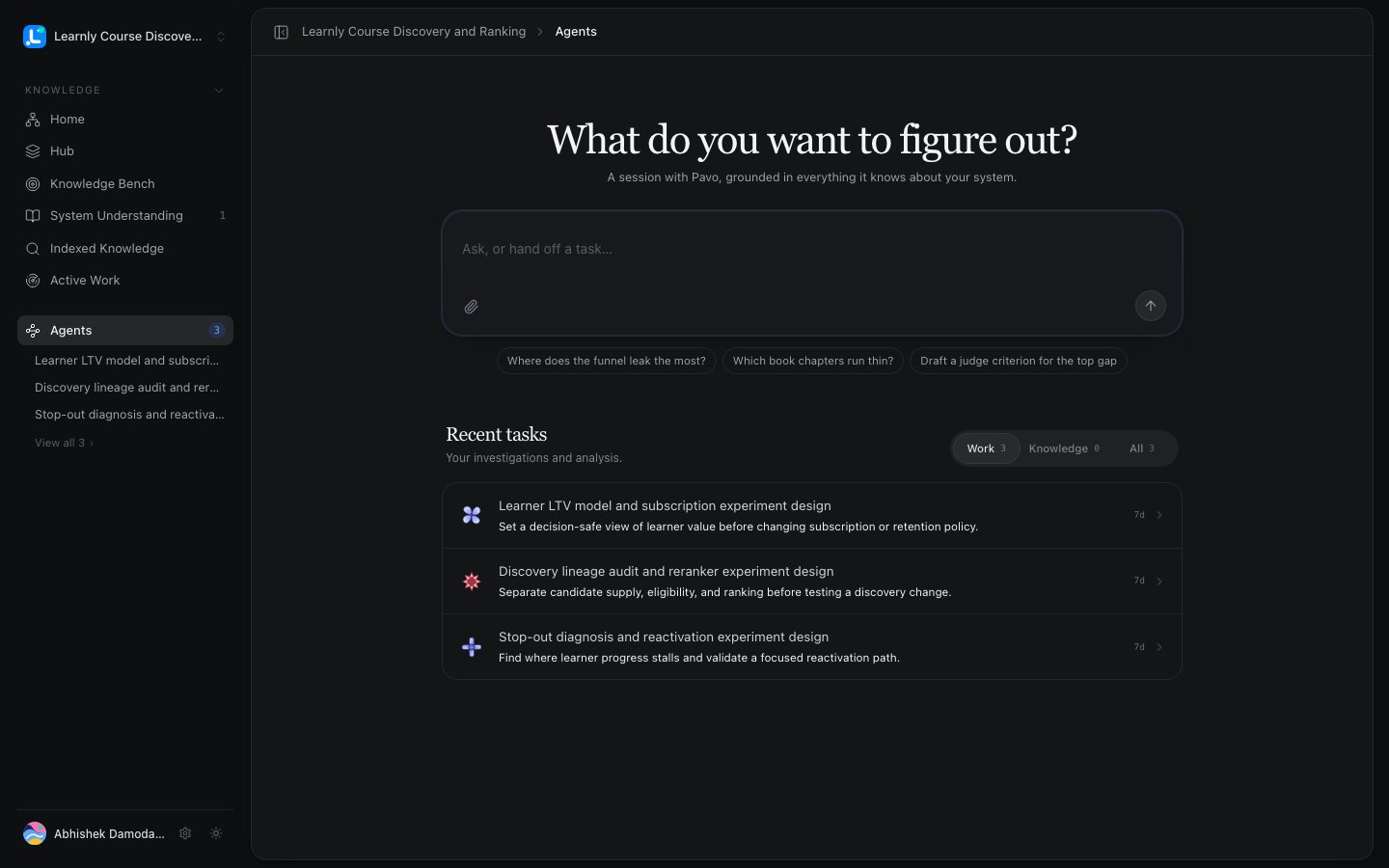
Hand Pavo the question, the decision it must inform, and any boundaries you care about. In the LTV example, the ask was: *define a decision-safe measure of learner value, and determine which subscription and retention policies are ready for a controlled experiment*, with an explicit boundary that accounting, prediction, and causal claims stay separate.
Pavo reads your system knowledge and formulates the program before delegating anything.
 ## Step 2: Approve the Studio plan
Pavo returns a [Studio plan](/agent-studio/programs-plans-modules): an executive summary, the scientific frame, and a breakdown into **modules**, each a meaty chunk with one governing question. The LTV plan had five, from *value contract and economics* through *strategy and experiment policy*.
Read it, edit anything you disagree with, and approve. The plan is versioned, so you can iterate to a v2 or v3 before committing.
Nothing runs until you approve. This is the cheapest place to steer the whole program: a wrong module here costs seconds to fix, but days of agent work to unwind later.
## Step 3: Set your checkpoints
Agent Studio assumes zero trust that the agents get everything right, so it pauses for you by default: after it frames the plan, before expensive work, when evidence changes direction, and before any external action. You can tighten or loosen these per program, and encode your own habits, for example, *always run a cheap query on one week of data before running the full year*. See [Checkpoints & decisions](/agent-studio/checkpoints-decisions).
## Step 4: Run a thin first module
Once the plan is approved, the Director delegates the first module to its agents. Make the **first module thin** on purpose: point it at a small cohort and confirm the agents have the right access, the right tables, and the right joins before you let them go wide.
## Step 2: Approve the Studio plan
Pavo returns a [Studio plan](/agent-studio/programs-plans-modules): an executive summary, the scientific frame, and a breakdown into **modules**, each a meaty chunk with one governing question. The LTV plan had five, from *value contract and economics* through *strategy and experiment policy*.
Read it, edit anything you disagree with, and approve. The plan is versioned, so you can iterate to a v2 or v3 before committing.
Nothing runs until you approve. This is the cheapest place to steer the whole program: a wrong module here costs seconds to fix, but days of agent work to unwind later.
## Step 3: Set your checkpoints
Agent Studio assumes zero trust that the agents get everything right, so it pauses for you by default: after it frames the plan, before expensive work, when evidence changes direction, and before any external action. You can tighten or loosen these per program, and encode your own habits, for example, *always run a cheap query on one week of data before running the full year*. See [Checkpoints & decisions](/agent-studio/checkpoints-decisions).
## Step 4: Run a thin first module
Once the plan is approved, the Director delegates the first module to its agents. Make the **first module thin** on purpose: point it at a small cohort and confirm the agents have the right access, the right tables, and the right joins before you let them go wide.
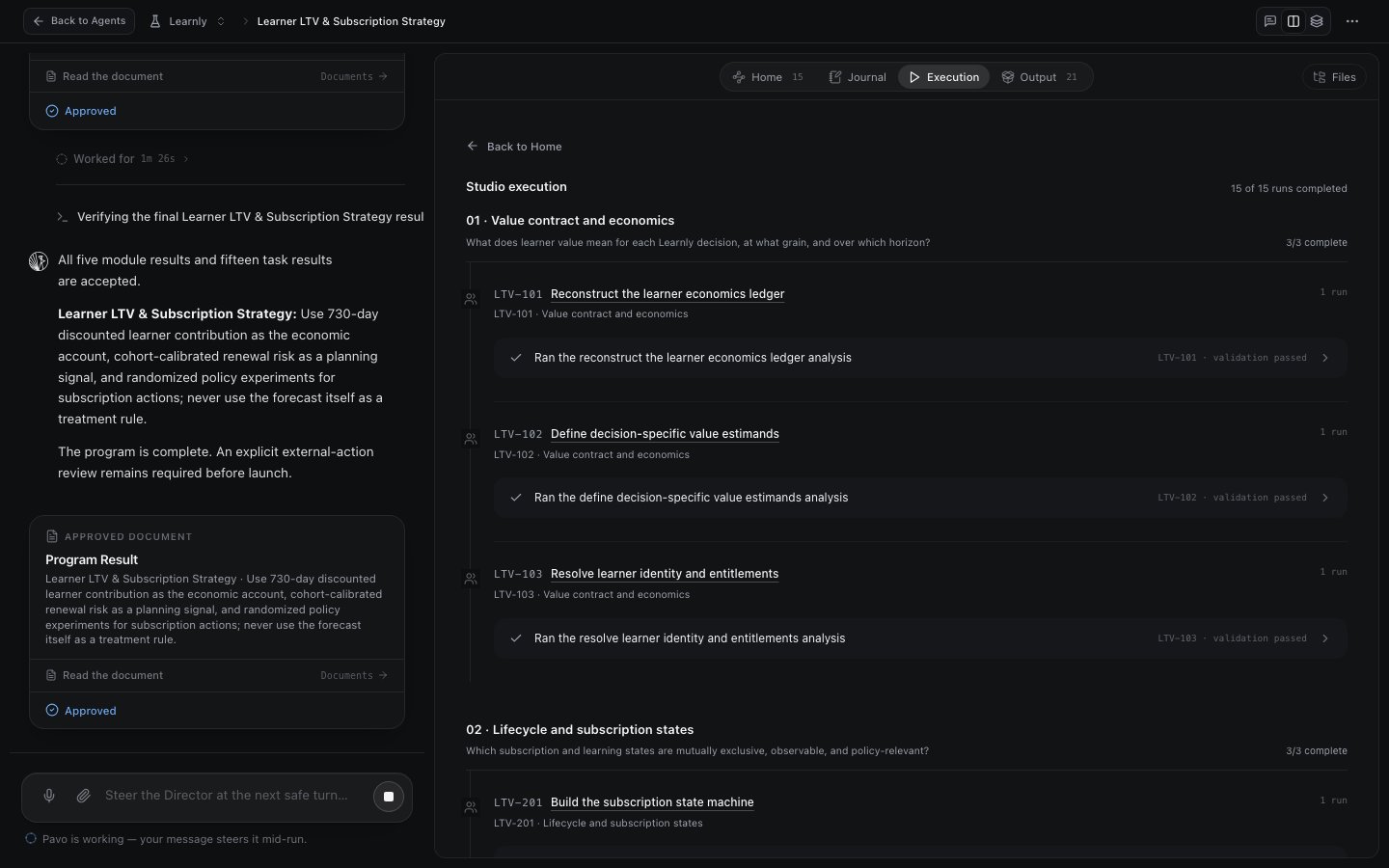 Open the **Execution** tab and confirm the first module's tasks ran and their validation passed. If a connected source returns nothing, treat it as a finding, usually a permission gap, not a dead end.
## Step 5: Live in a Task Studio
This is where you spend your time. Each module's work happens in [Task Studios](/agent-studio/task-studios), one agent per studio. Steer the Director for the small stuff ("add a learned-composite proxy and redo the analysis"), or dive into a single Task Studio to give one agent specific instructions and watch its code, evidence, and output directly.
You can add modules or tasks mid-run: the Director folds the new work into the plan and keeps the fleet coordinated.
## Step 6: Accept results and keep what compounds
At each checkpoint, review the result and accept it. Accepted results are typed, cited, and [frozen at a version](/agent-studio/evidence-results), so downstream work can only build on what you have signed off. Anything worth keeping is written back to the [Knowledge Hub](/system-knowledge/knowledge-hub), where the next program picks it up.
## Next steps
Go deeper on the plan and how modules hand off.
The habits that make programs pay off.
Open the **Execution** tab and confirm the first module's tasks ran and their validation passed. If a connected source returns nothing, treat it as a finding, usually a permission gap, not a dead end.
## Step 5: Live in a Task Studio
This is where you spend your time. Each module's work happens in [Task Studios](/agent-studio/task-studios), one agent per studio. Steer the Director for the small stuff ("add a learned-composite proxy and redo the analysis"), or dive into a single Task Studio to give one agent specific instructions and watch its code, evidence, and output directly.
You can add modules or tasks mid-run: the Director folds the new work into the plan and keeps the fleet coordinated.
## Step 6: Accept results and keep what compounds
At each checkpoint, review the result and accept it. Accepted results are typed, cited, and [frozen at a version](/agent-studio/evidence-results), so downstream work can only build on what you have signed off. Anything worth keeping is written back to the [Knowledge Hub](/system-knowledge/knowledge-hub), where the next program picks it up.
## Next steps
Go deeper on the plan and how modules hand off.
The habits that make programs pay off.