> ## Documentation Index
> Fetch the complete documentation index at: https://docs.pavoai.com/llms.txt
> Use this file to discover all available pages before exploring further.
# Snowflake
> Connect Pavo to your Snowflake account using secure RSA key-pair authentication.
## Step 1: Add Connector
Navigate to **Settings → Data sources** and click **Add source**.
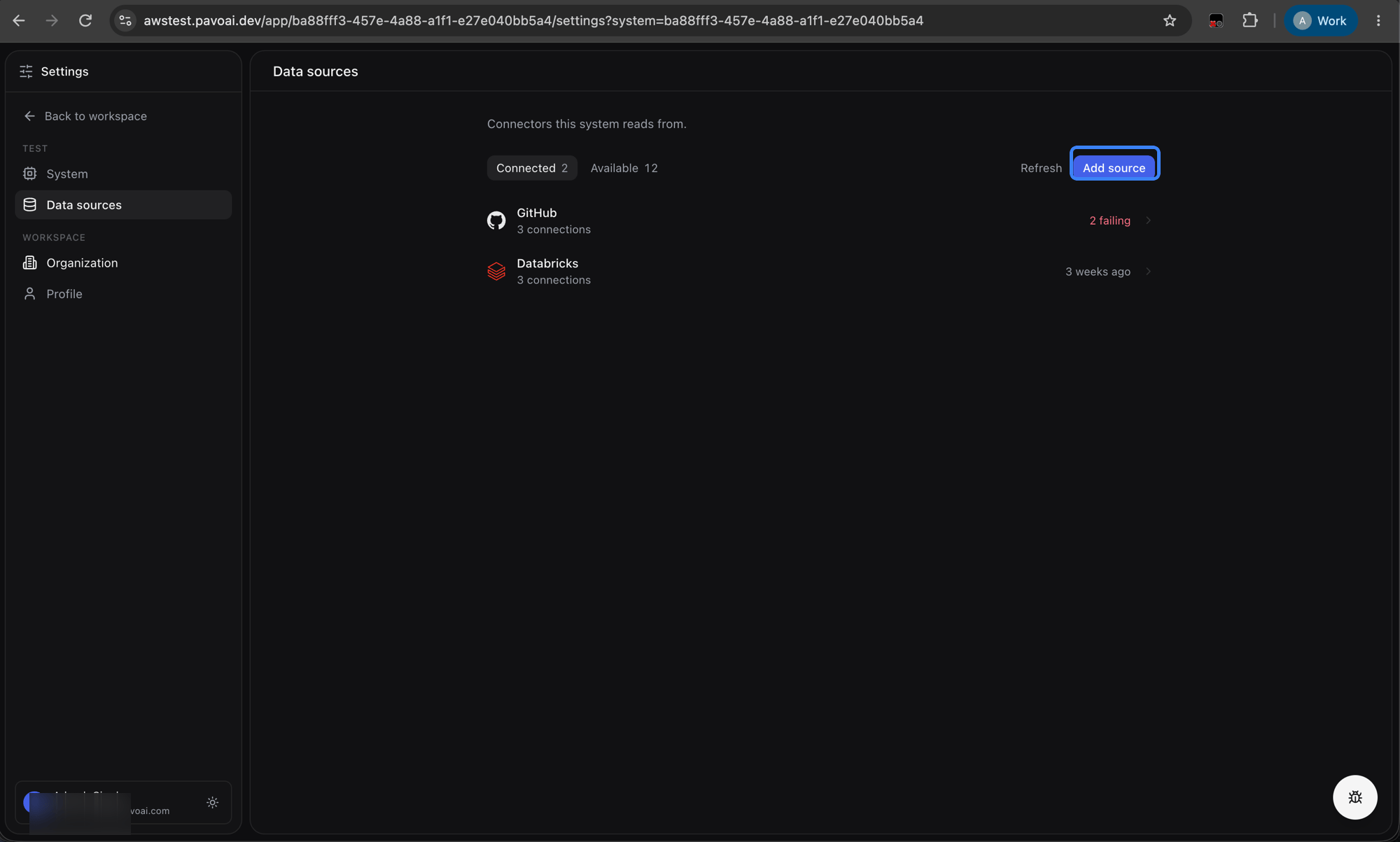 Select **Snowflake** from the connector list.
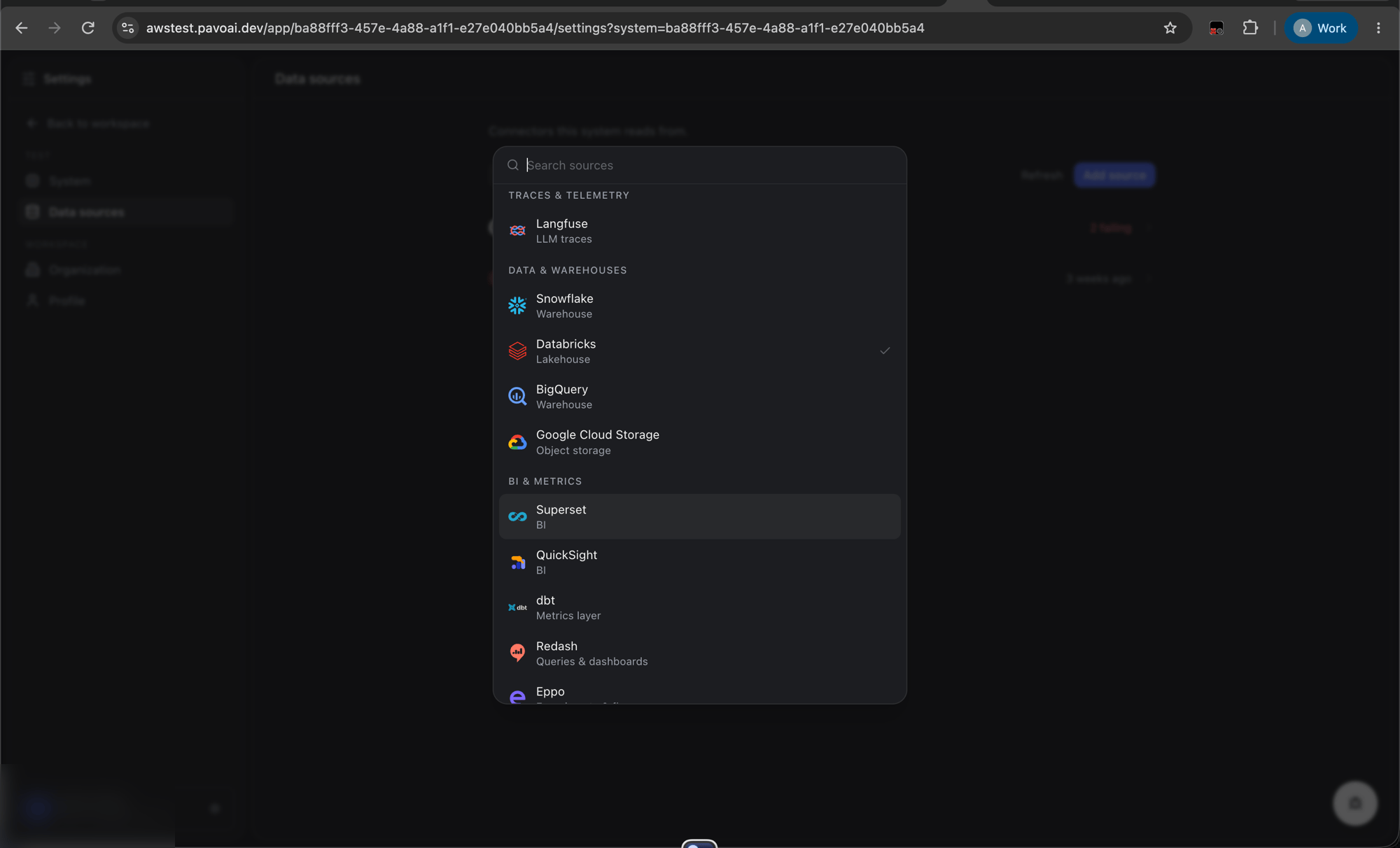 Enter the following:
| Field | Description |
| - | - |
| `account` | Snowflake account identifier (e.g. `xy12345.us-central1.gcp`) |
| `user` | Snowflake user that Pavo will authenticate as |
### Optional fields
Use these to limit Pavo's access scope:
| Field | Description |
| - | - |
| `warehouse` | Warehouse to run queries against |
| `database` | Database to connect to |
| `schema` | Schema to read from |
| `role` | Role assigned to the user (e.g. `PAVO_ROLE`) |
Click **Save**. Pavo generates an RSA key pair behind the scenes and stores the private key securely.
## Step 2: Copy the Setup SQL
You will see a `setup_sql` statement in the UI, an `ALTER USER` command that registers Pavo's public key with your Snowflake account:
```sql theme={null}
ALTER USER SET RSA_PUBLIC_KEY='MIIBIjANBg...';
```
Copy this SQL.
## Step 3: Run on Snowflake
Log in to your Snowflake account (as `ACCOUNTADMIN` or a role with `ALTER USER` privileges) and execute the SQL from Step 2.
This enables key-pair authentication so Pavo can connect without a password.
## Step 4: Trigger Sync
Go back to the Pavo Connectors page and click **Sync Now** on the Snowflake connector. Pavo will connect using the registered key pair and begin syncing data.
Pavo generates the RSA key pair server-side: the private key never leaves the system. This is more secure than password-based auth since no human handles the secret.
Enter the following:
| Field | Description |
| - | - |
| `account` | Snowflake account identifier (e.g. `xy12345.us-central1.gcp`) |
| `user` | Snowflake user that Pavo will authenticate as |
### Optional fields
Use these to limit Pavo's access scope:
| Field | Description |
| - | - |
| `warehouse` | Warehouse to run queries against |
| `database` | Database to connect to |
| `schema` | Schema to read from |
| `role` | Role assigned to the user (e.g. `PAVO_ROLE`) |
Click **Save**. Pavo generates an RSA key pair behind the scenes and stores the private key securely.
## Step 2: Copy the Setup SQL
You will see a `setup_sql` statement in the UI, an `ALTER USER` command that registers Pavo's public key with your Snowflake account:
```sql theme={null}
ALTER USER SET RSA_PUBLIC_KEY='MIIBIjANBg...';
```
Copy this SQL.
## Step 3: Run on Snowflake
Log in to your Snowflake account (as `ACCOUNTADMIN` or a role with `ALTER USER` privileges) and execute the SQL from Step 2.
This enables key-pair authentication so Pavo can connect without a password.
## Step 4: Trigger Sync
Go back to the Pavo Connectors page and click **Sync Now** on the Snowflake connector. Pavo will connect using the registered key pair and begin syncing data.
Pavo generates the RSA key pair server-side: the private key never leaves the system. This is more secure than password-based auth since no human handles the secret.