> ## Documentation Index
> Fetch the complete documentation index at: https://docs.pavoai.com/llms.txt
> Use this file to discover all available pages before exploring further.
# Quickstart
> Stand up a knowledge base for one production system: connect, build the book, score the bench, and put it to work.
This walks through building System Knowledge for a single production system end to end. By the end you will have an indexed system, a reviewed tribal book, a scored knowledge bench, and a first finding written back to the hub.
Plan for the first pass to take a few sessions, not a few minutes. Indexing runs on its own once connected; your time goes into reviewing the book and vetting the bench: the two steps that make everything downstream trustworthy.
## Before you begin
Your Pavo instance is deployed in your environment. If it is not yet stood up, reach out to the Pavo team.
Pick a single production surface to start with: search ranking, a recommendation feed, notifications. Knowledge is compiled per system, so narrow scope is an advantage.
Credentials for one warehouse, code repository, dashboard, or experimentation platform. You can add more later. See [Connectors](/connectors/overview).
## Step 1: Create a system
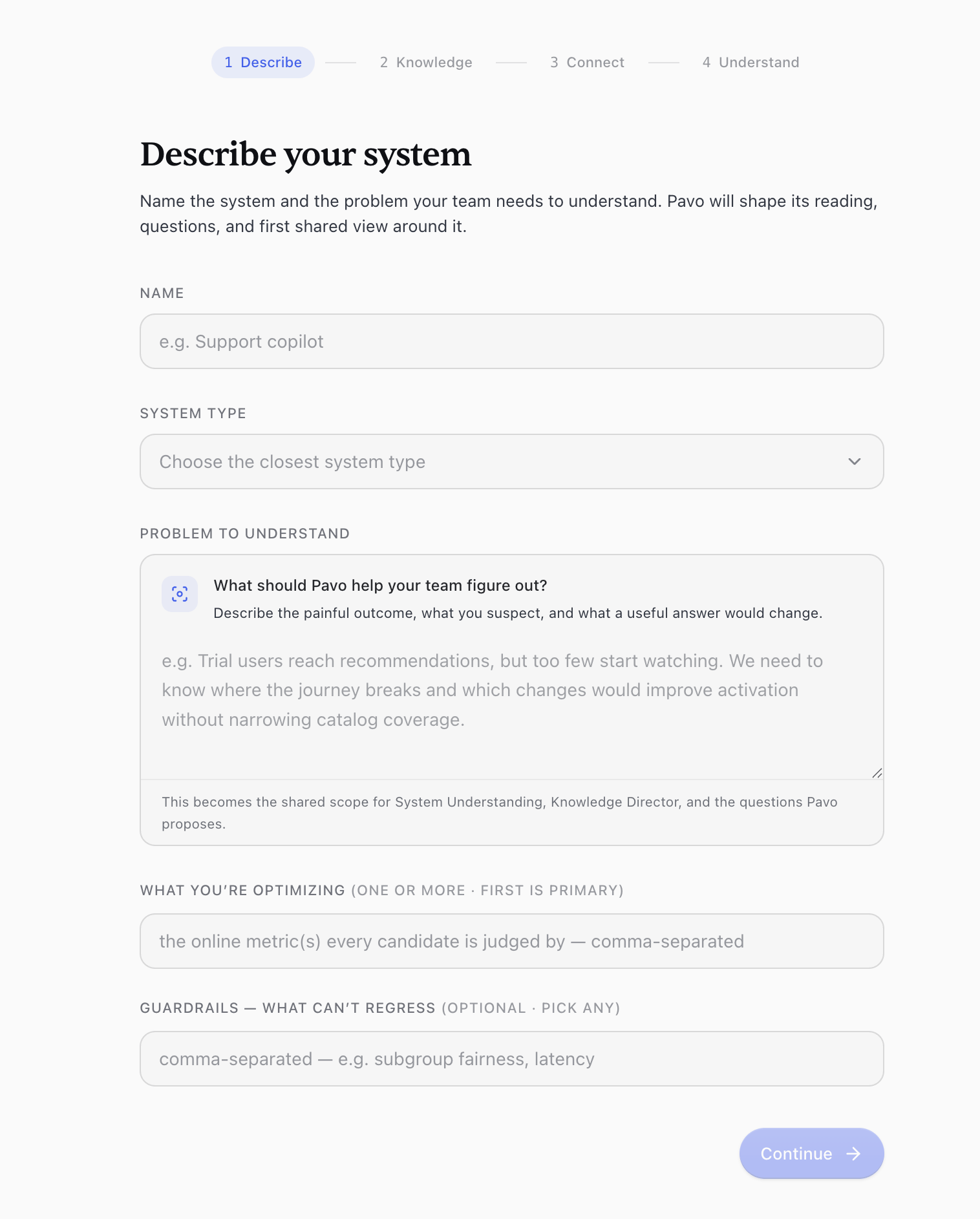
Create a new system in Pavo and describe it: what it is, the metrics you care about (for example D7 retention or LTV), and any guardrails you must not regress. This description biases how Pavo reads and prioritizes everything that follows.
If you already have documentation - design docs, runbooks, an `AGENTS.md`, prior meeting notes - upload it now so Pavo builds on it instead of starting from scratch. You can also skip this and add it later.
 ## Step 2: Connect a source
Connect the data source closest to your system first. Each connector is read-only and scoped to what you grant.
## Step 2: Connect a source
Connect the data source closest to your system first. Each connector is read-only and scoped to what you grant.
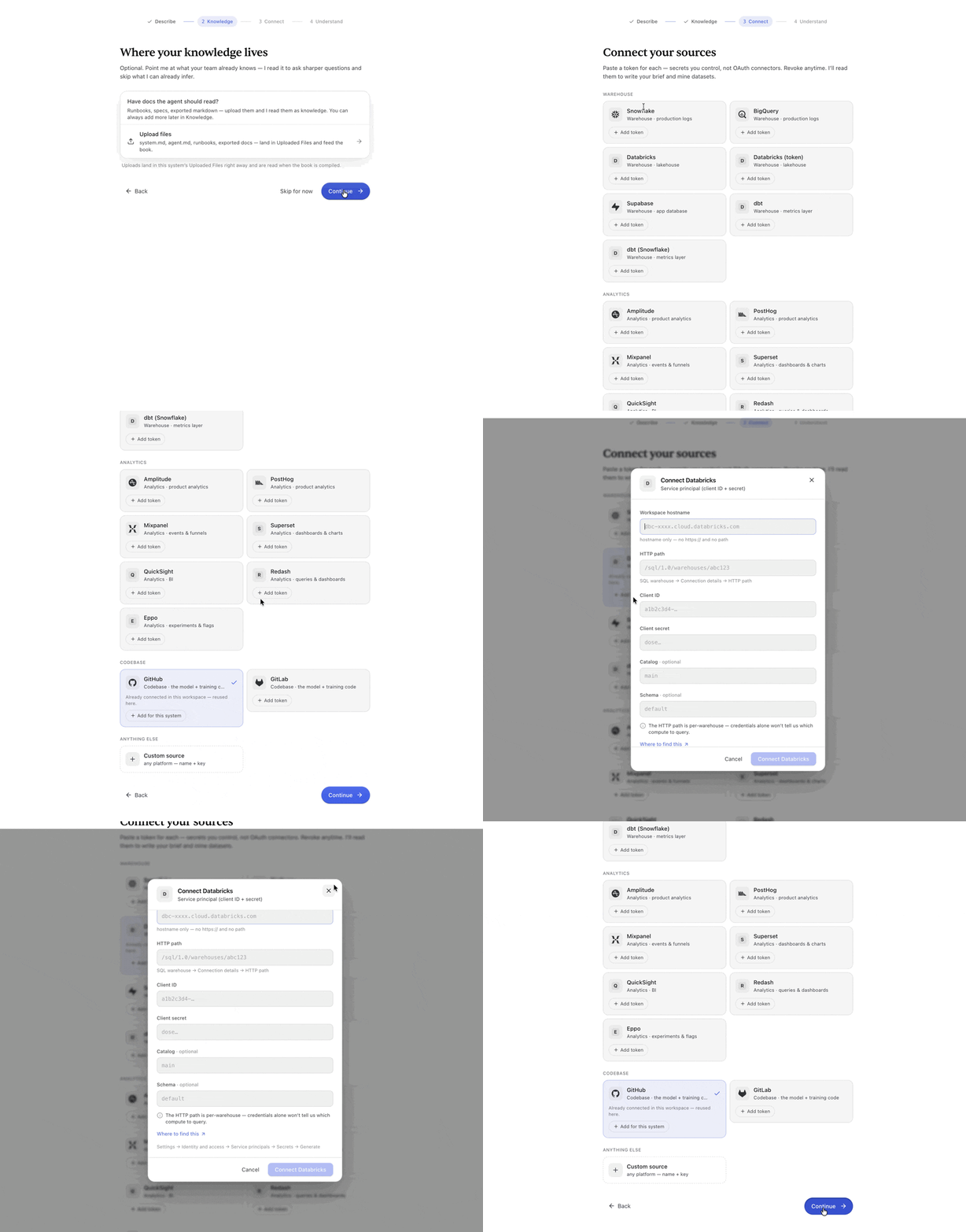 Warehouses, code, dashboards, and experimentation platforms, with per-source setup.
In restricted environments, upload anonymized files rather than granting a live connection.
Once connected, Pavo begins [indexing](/system-knowledge/index-knowledge): it reads every file, table, dashboard, and past query, and extracts typed, cited facts.
Open the **Index knowledge** tab and confirm facts are accumulating and their citations resolve to real sources.
## Step 3: Generate the tribal book
With facts indexed, generate the [tribal book](/system-knowledge/tribal-book), a distilled, chaptered account of how your system works. Pavo may pause to ask you to resolve conflicts it cannot settle on its own; answering these makes the book more correct.
## Step 4: Review and verify
Read the book chapter by chapter. For anything wrong, edit it directly or ask Pavo to revise, then accept or reject each proposed change. Pay closest attention to the **metrics** chapter: canonical definitions, source tables, and gotchas are where errors are most expensive. Mark the load-bearing sections as verified.
Warehouses, code, dashboards, and experimentation platforms, with per-source setup.
In restricted environments, upload anonymized files rather than granting a live connection.
Once connected, Pavo begins [indexing](/system-knowledge/index-knowledge): it reads every file, table, dashboard, and past query, and extracts typed, cited facts.
Open the **Index knowledge** tab and confirm facts are accumulating and their citations resolve to real sources.
## Step 3: Generate the tribal book
With facts indexed, generate the [tribal book](/system-knowledge/tribal-book), a distilled, chaptered account of how your system works. Pavo may pause to ask you to resolve conflicts it cannot settle on its own; answering these makes the book more correct.
## Step 4: Review and verify
Read the book chapter by chapter. For anything wrong, edit it directly or ask Pavo to revise, then accept or reject each proposed change. Pay closest attention to the **metrics** chapter: canonical definitions, source tables, and gotchas are where errors are most expensive. Mark the load-bearing sections as verified.
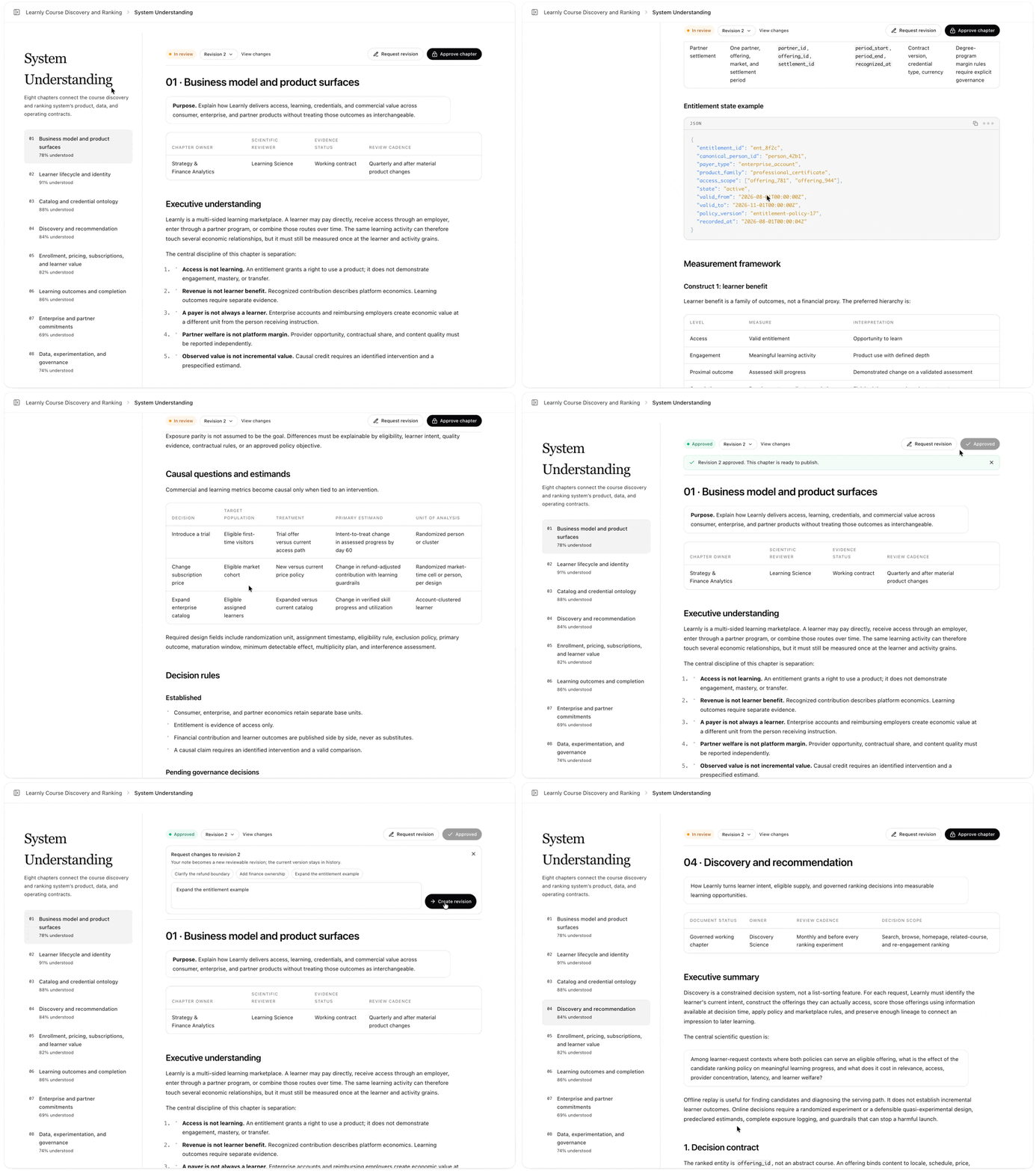 Do not skip this step to save time. An unreviewed book reads as authoritative but may encode a wrong join or an outdated metric definition, and every downstream investigation inherits that error.
## Step 5: Score the knowledge bench
Open the [knowledge bench](/system-knowledge/knowledge-bench). Pavo has generated a benchmark of pointed questions about your system; an independent judge scores the current knowledge against them for both coverage and correctness.
Review the questions and the judge's verdicts. Add the gotchas you know matter, edit or delete questions that miss, and re-score. Aim to close the gap on the questions your team considers non-negotiable.
Do not skip this step to save time. An unreviewed book reads as authoritative but may encode a wrong join or an outdated metric definition, and every downstream investigation inherits that error.
## Step 5: Score the knowledge bench
Open the [knowledge bench](/system-knowledge/knowledge-bench). Pavo has generated a benchmark of pointed questions about your system; an independent judge scores the current knowledge against them for both coverage and correctness.
Review the questions and the judge's verdicts. Add the gotchas you know matter, edit or delete questions that miss, and re-score. Aim to close the gap on the questions your team considers non-negotiable.
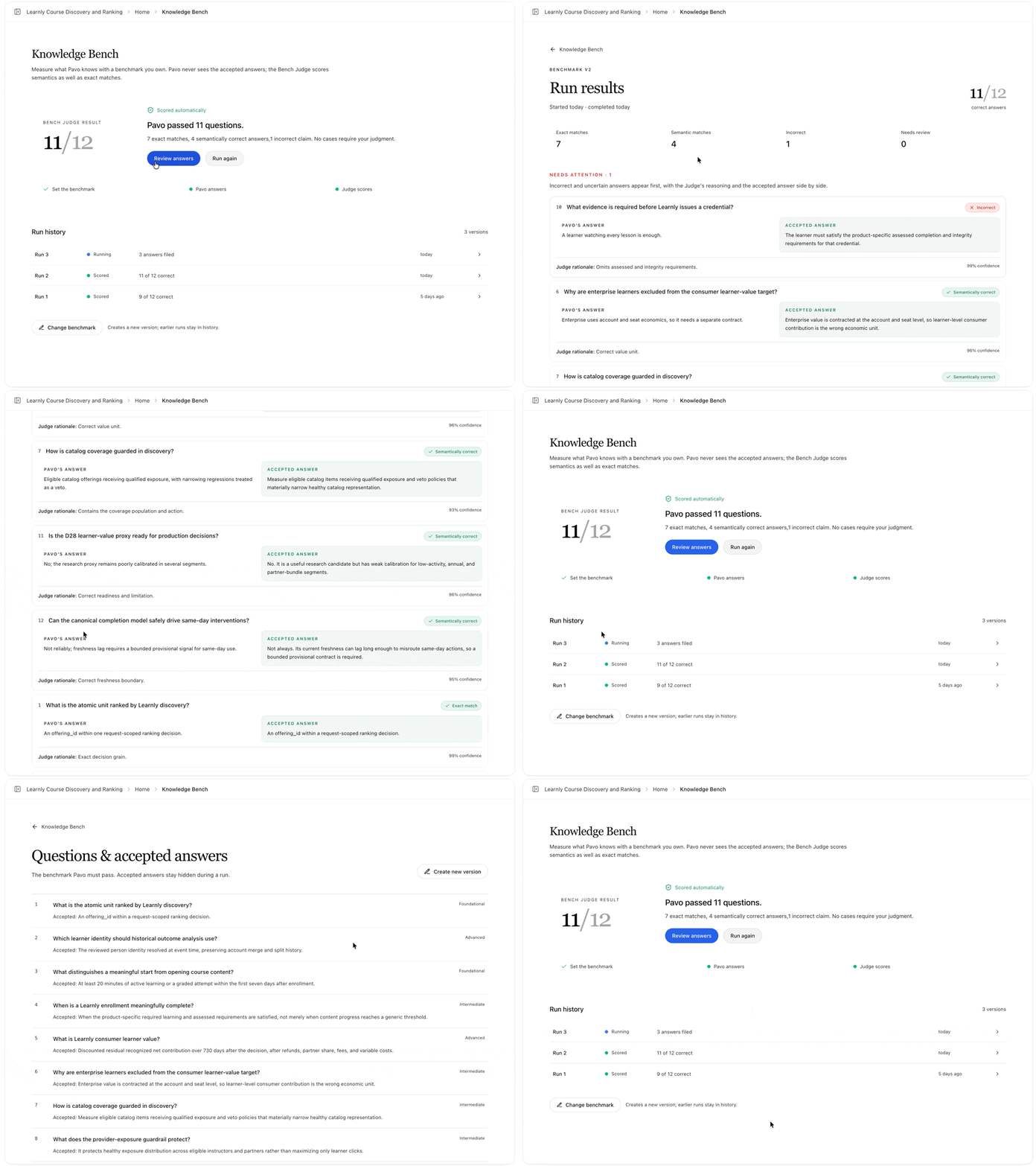 The bench score reflects your real priorities, and the questions you care most about pass.
## Step 6: Put it to work
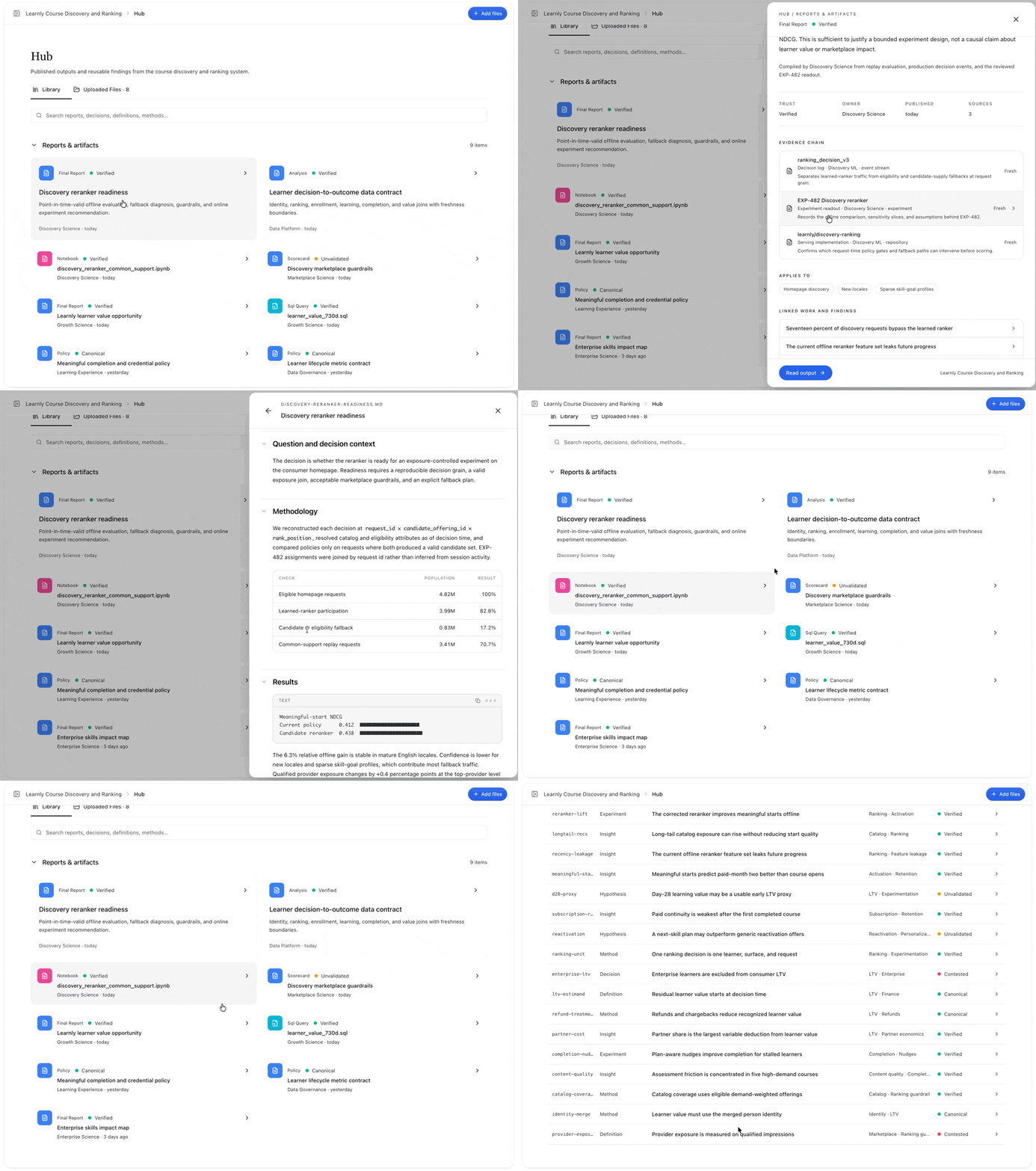
Run a first task against the system: a deep dive, a metric investigation, an A/B test read. As agents work, the [knowledge hub](/system-knowledge/knowledge-hub) captures new findings with the evidence chain that produced them. Curate what is worth keeping, and it becomes part of the shared base for the next investigation.
The bench score reflects your real priorities, and the questions you care most about pass.
## Step 6: Put it to work
Run a first task against the system: a deep dive, a metric investigation, an A/B test read. As agents work, the [knowledge hub](/system-knowledge/knowledge-hub) captures new findings with the evidence chain that produced them. Curate what is worth keeping, and it becomes part of the shared base for the next investigation.
 ## Next steps
The four habits that keep knowledge alive and correct.
Go deeper on how knowledge is scored and trusted.
## Next steps
The four habits that keep knowledge alive and correct.
Go deeper on how knowledge is scored and trusted.