

The Studio plan
The approach, agreed before the work, not a status report after it. When you describe a program, Pavo does not start working. It writes a plan and waits for you. The plan is a document with a fixed anatomy, so once you have read one you can read any of them.
In the LTV program, the scientific frame was a single sharp instruction: separate accounting value, predictive value, and causal policy value; build time-valid labels before comparing forecasts; express strategy as a constrained policy, not a universal learner score. Every module downstream inherited that frame.
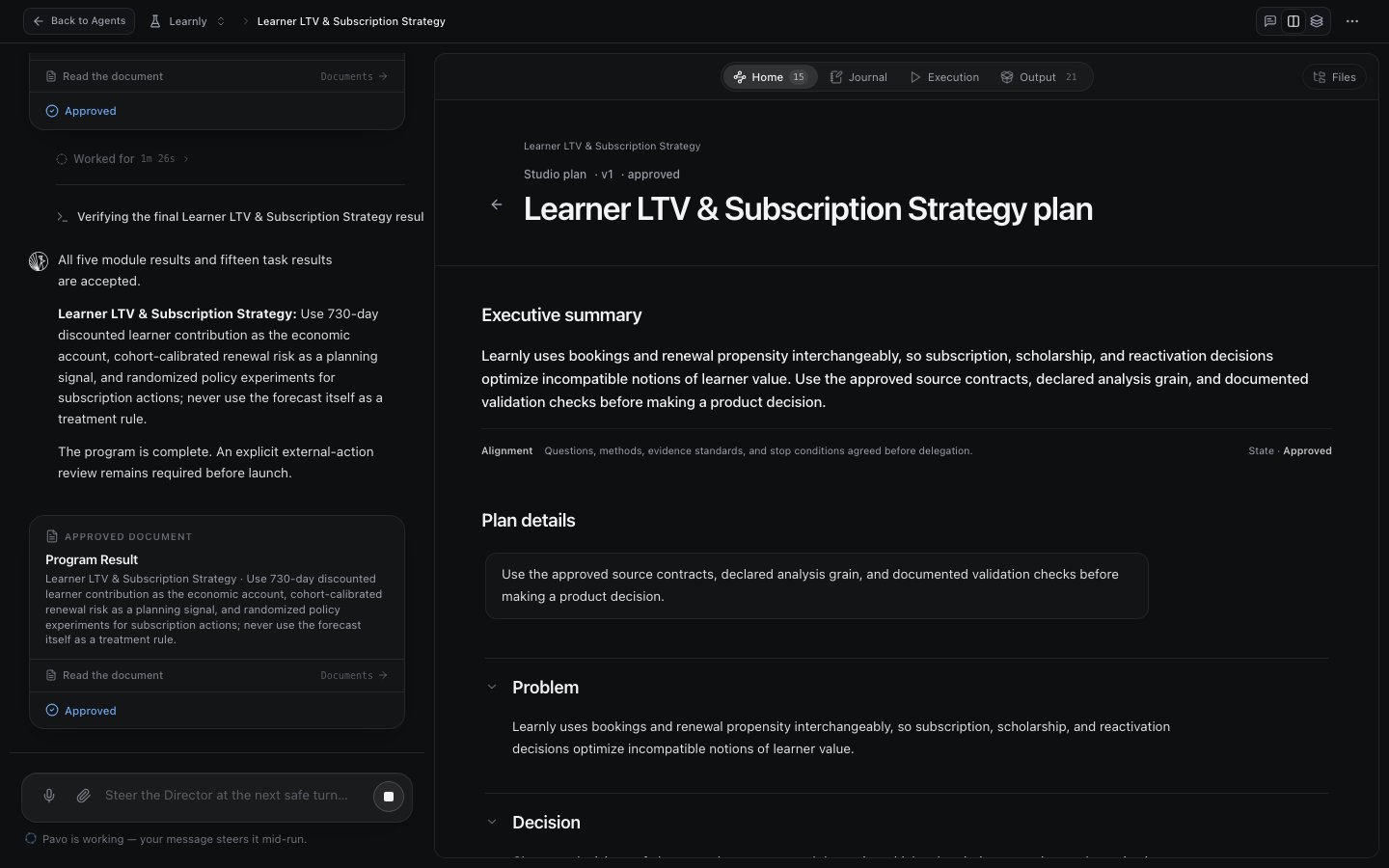
The Program workflow section is where the plan encodes discipline. The evidence standard makes every task freeze its population, grain, event time, and exclusions before analysis. The checkpoint policy says exactly when work pauses for you. You are approving these rules, not just a list of tasks.
Editing and approving
The plan is a draft until you say otherwise. Edit any section, leave comments, or ask Pavo to revise and hand you a v2. Approve when it reads right.Modules
Each module answers one question and hands off one result. Once you approve the plan, each module becomes real work. A module is a meaty chunk of the program, thick or thin as you choose, with a single governing question and one required handoff: the typed result the next module is allowed to build on.
The LTV program’s five modules ran in order: value contract and economics → lifecycle and subscription states → labels and temporal validity → forecast and decision fidelity → strategy and experiment policy, each handing a typed result to the next.
A downstream module may consume only an accepted, versioned upstream result. Module 4 cannot quietly reach back into module 1’s half-finished work; it builds on module 1’s frozen, signed-off answer. This is what keeps a long program from drifting: every stage stands on solid ground. See Evidence, results & outputs.
Thick, thin, and your first module
You control how big each module is. A common pattern: make the first module deliberately thin, pulling a small cohort and confirming access and joins are right, before letting a later module run wide across a year of data. The module is also the natural place to put a checkpoint: finish and accept one before the next begins.Versions and mid-run changes
Programs are living things.- Plans are versioned. Iterate the Studio plan to v2, v3; each module plan carries its own version too. You can always trace a result back to the plan version that produced it.
- You can add work mid-run. Explored five directions and want a sixth? Tell the Director to spin up a new module or task. It builds the new work into the plan and keeps the fleet coordinated. No need to restart.
Next steps
Task Studios & the Director
How the modules actually get worked.
Checkpoints & decisions
Where you stay in the loop as the plan runs.